Create & Organize Notes
Create notes, organize them with folders and subfolders, and keep your ideas easy to find.

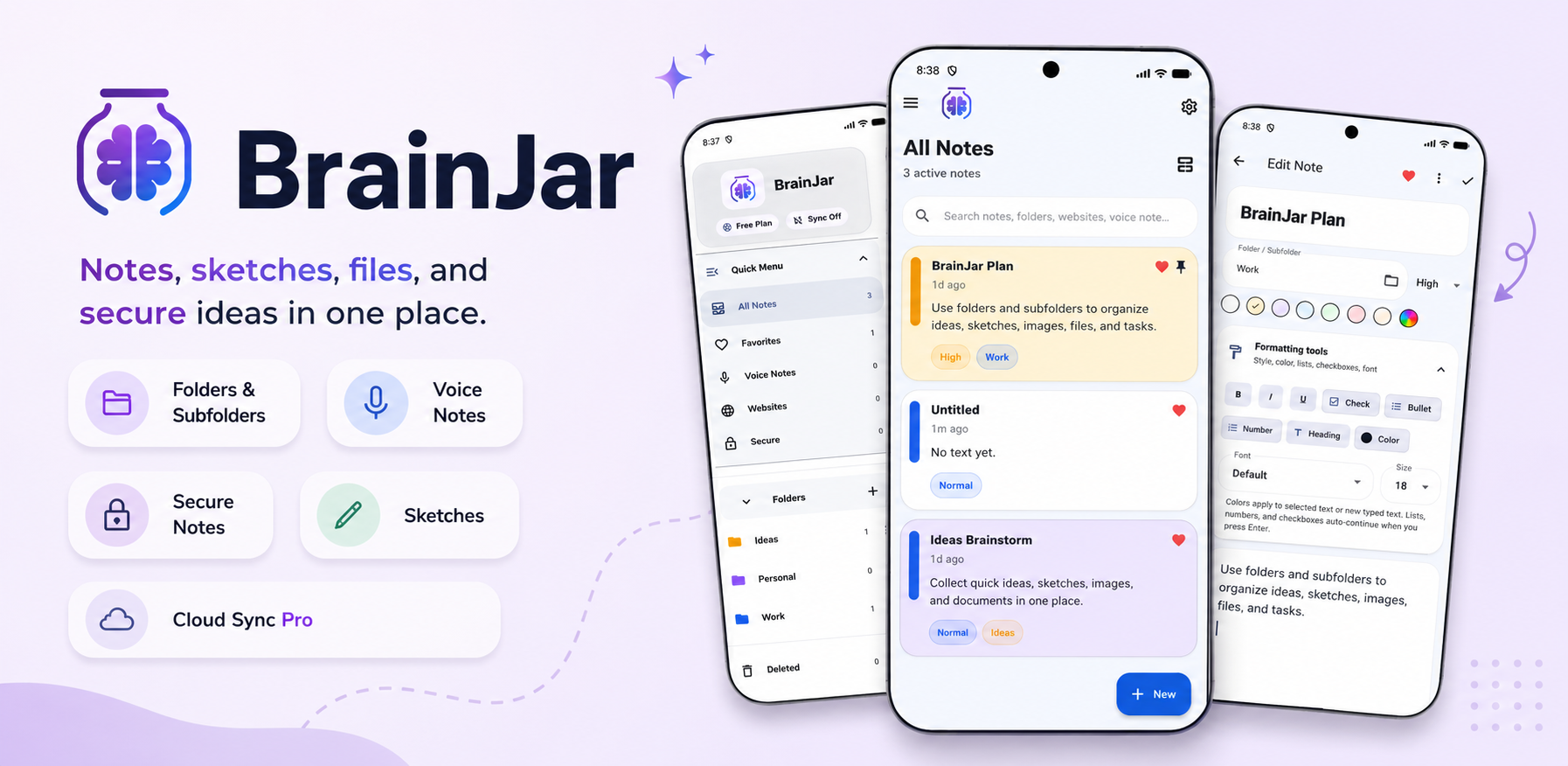
BrainJar is a clean, powerful notes app built to help you capture ideas, organize thoughts, save important details, and keep everything in one easy workspace.

Whether you are writing quick notes, tracking ideas, saving websites, building checklists, organizing files, planning projects, or keeping private notes locked away, BrainJar gives you one simple place to store what matters.
Create notes, organize them with folders and subfolders, and keep your ideas easy to find.
Add bold, italic, underline, headings, bullets, numbered lists, checklists, text colors, favorites, and priority labels.
Protect sensitive notes with a Secure PIN so private information stays separated and safer.
BrainJar is designed for people who want more than a basic notepad, but still want an app that feels simple and easy to use. Use it for personal notes, work ideas, school notes, creative projects, saved links, lists, reminders, writing drafts, family planning, or anything else you want to keep in one place.
BrainJar gives you a flexible workspace for organizing information in the way that fits your life.
Organize notes into folders and subfolders so projects, ideas, and important details stay grouped.
Build simple checklists for tasks, planning, reminders, project steps, shopping lists, and more.
Add images, files, sketches, and attachments so your notes can hold more than plain text.
Record voice notes when typing is not the fastest way to capture an idea.
Save websites and bookmarks with your notes so important links stay connected to your ideas.
Use read-aloud for notes when you want to listen back to what you wrote.
Restore deleted notes before permanently removing them, giving you a second chance when needed.
Back up and restore notes locally so you can keep a copy of your important information.
Long-press notes for quick actions and share notes easily when you need to move information.
Upgrade to BrainJar Pro to unlock more powerful tools for exporting, syncing, and working across devices. Pro includes no ads, cloud sync across devices, TXT exports, DOCX exports, batch exports, full folder ZIP exports, and pro export tools for better backup and organization.
Free users can still create and organize notes locally, use folders, checklists, formatting, secure notes, websites, attachments, and local backup. Pro is for users who want cloud sync, no ads, and advanced export tools.
Keep notes synced across devices with BrainJar Pro.
Export notes as TXT or DOCX files for easier backup, sharing, and long-term organization.
Batch export notes or export full folders as ZIP files with pro export tools.
BrainJar helps you keep your thoughts organized without making things complicated. Keep your ideas together. Organize your brain. Use BrainJar.
For support, privacy questions, Pro questions, account deletion, or data deletion requests, contact AppsByLogik by email.